As more and more cameras are using rechargeable batteries the market for knock-off batteries has exploded.
It has come to my attention that counterfeiting of battery packs has become a serious problem for both manufacturers and consumers. A knock-off battery pack may save you money but, at the very least, may not carry a charge or last as long as an OEM (Original Equipment Manufacturer) pack. Worse yet, it could catch fire!
Loss is one of the most difficult emotions to deal with. According to the psychology of loss, the pain of losing $100 hurts a lot more than the pleasure of finding, earning, or winning $100.
The emotional pain of losing your photos hurts a lot more than losing a hundred bucks. Photos can’t be replaced. You can’t re-stage a wedding, you can’t repeat those wonderful moments on vacation and you certainly can’t dig up your deceased relatives for a photo op. (Well maybe you could…but you’re asking for trouble.)
Disaster experts suggest that you keep your photos in one box that you can grab in an emergency. But what do you do if you’re just as dumb as I was and leave your camera somewhere and walk away?
My wife and I were leaving Las Vegas after a week of fun for her and work for me. I was there to cover a convention and she was tagging along on my frequent flier miles.
As we loaded our luggage into the taxi I kept the bag with my still cameras, video gear and exposed MiniDV tapes next to me since it was the most valuable piece of luggage I had.
The cab driver was a great guy and the three of us enjoyed animated conversation. My wife and I learned that he was an Iranian expatriate who came to the United States for a better life. He was profoundly saddened by the changes in his country and admitted that he rarely told his passengers that he was from Iran. At the airport I tipped him adequately and he gave me a blank receipt.
Curbside I did a quick count of my bags. One was missing. A recount verified it. I asked my wife to count again. Of course, the camera bag with the videotapes from the shoot and my most expensive camera gear was missing. And the taxi was nowhere in sight. I fought my instinct to panic.
My wife checked our remaining luggage while I went to the taxi dispatcher. I couldn’t identify the cab because he was an independent. And the receipt he gave me was generic. No one in authority at the airport could offer help or suggestions. I cursed myself for losing the bag. I envisioned the cabbie selling my photo gear. I worried about how would I explain it to my client? My heart was beating faster. I started to panic.
The truth is that despite expecting the worst from our fellow humans most people will try to return a lost item of value to its rightful owner. But in order for it to be returned the finder needs to know whom it belongs.
I read a story in a London newspaper on just that topic. Some British scientists did a study of lost wallets. They left wallets around London to see how many would be returned and an interesting statistic arose. Wallets that had baby photos in them were returned at a higher rate than those without.
What does this have to do with losing your camera?
Its difficult to write your name and address on your camera and hang tags can be lost easily but the truth is that you’re probably ready to chalk the camera up as a loss but you’d sure like to get your photos back.
This is what you do:
1) Get a piece of poster board and a marker.
2) Make a sign with your email address on it and maybe your other contact information.
3) On the first frame of every memory card take a photo of your children (or as I did, someone else’s children) holding that card.
After you download your memory card and erase the images you can shoot another photo or if you use a card reader just upload the same picture to your card.
Some cameras allow you to choose the image to use on the start up screen. Choose the image with your information.
Whoever finds your camera will undoubtedly look through your photos and hopefully contact you.
What happened to the lost bag from my Vegas trip? As I nervously paced the loading zone at the airport I saw my bag coming toward me in the distance, above everyone’s head. It was the Iranian car driver running toward me holding my bag high in the air.
He told me that we were his last ride of the day and when he got home he noticed my bag tucked between the seat and the sliding door of his minivan cab so he immediately drove back to the airport to find me.
As I said, most people will try to return a lost item of value to its rightful owner.
For a humorous take on this same topic you might want to visit photographer Andrew McDonalds blog.
SECOND GENERATION EF 70-200MM f/2.8L IS II USM LENS
Canon's New EF 70-200mm f/2.8L IS II USM Incorporates Advanced Lens Elements and Enhanced Durability for High-Speed Autofocus and High-Performance Optical Image Stabilization
Lake Success, N.Y., January 5, 2010 – Canon U.S.A., Inc., a leader in digital imaging, introduces the new EF 70-200mm f/2.8L IS II USM lens. Arguably the most popular focal range in Canon's telephoto arsenal and a staple lens for any professional photographer, the EF 70-200mm f/2.8L IS II USM lens provides the focal length, maximum aperture and zoom power for capturing everything from fast-action sports to studio portraits. Built for the professional, the body structure of the new EF 70-200mm f/2.8L IS II USM lens has been enhanced to provide better durability and strength without a significant increase in weight. Canon has improved optical performance on the new EF 70-200mm f/2.8L IS II USM lens by redesigning the internal elements, incorporating a fluorite element and a fifth UD element. The use of the fluorite element and five UD elements helps to minimize secondary chromatic aberrations and produce better image quality with improved contrast and resolution through the entire zoom range; the end result is an optically precise lens worthy of becoming the leader of Canon's L-series lenses.
Along with its redesigned optical elements, the new lens design features improved AF speed due to a new focusing algorithm and has reduced the minimum focusing distance to 3.9 feet (1.2 meters) through the entire zoom range, allowing photographers to capture tighter portraiture shots in a small studio space. The previous lens model's minimum focusing distance was 4.6 feet (1.4 meters), whereas now photographers can stand nearly 8 inches closer to their subject and achieve sharp focus and tight crops. Canon has also enhanced the Image Stabilization allowing it to compensate for shutter speeds up to four steps slower than 1/focal length, a one step improvement over the previous lens model.
"Canon's core has always been our optics, and we are constantly challenging ourselves to produce better and more advanced optical systems for our customers. The new EF 70-200mm f/2.8L IS II USM lens incorporates the best advancements in Canon lens technology from the past few years and packages it into what we believe will be the most popular lens for professionals and advanced photographers," stated Yuichi Ishizuka, senior vice president and general manager, Consumer Imaging Group, Canon U.S.A.
The enhanced magnesium alloy barrel design of the EF 70-200mm f/2.8L IS II USM lens features added strength with a minimal 20-gram increase in weight compared with the previous model (1490g vs. 1470g) and retains Canon's protective seals and fittings providing dust and water resistance for those photographers working in adverse conditions. A new bayonet mount on the front of the lens includes a locking mechanism to ensure the supplied lens hood remains securely in place. Other noticeable improvements include a wider focusing ring, and sleeker design by reducing the thickness of any protruding elements such as the switch panel. The new lens is also compatible with Canon's existing EF1.4X II and EF2X II Extenders as well as EF Extension Tubes and the 77mm Close-Up Lens 500D.
Pricing and Availability
The Canon EF 70-200mm f/2.8L IS II USM lens is supplied with a detachable tripod collar, a reversible bayonet mount lens hood and a lens pouch. The new lens is scheduled to be delivered to U.S. dealers in April, price to be determined.
My favorite movie from the 60s is Putney Swope, its a dark satire about an ad agency that is taken over by the one black guy on the executive board. This is one of my favorite scenes, and why I named the blog Mark Focus. (Also and excellent illustration as to why you should NEVER work for free!)
The line that distinguishes still from video cameras is blurring.
Since the digital age subverted film, the real difference between a video camera and a still camera was merely the external shape of the camera. Now even that has changed, or been rendered moot.
Internally digital still and video cameras accomplish the same mission. Light travels through a lens and hits a sensor, which converts the information into electrons, and then a computer processes that information and records it onto a memory device.
Most point and shoot digital still cameras have afforded the option of making short video clips for many years but the ability to make serious hi-definition video with sound has eluded the manufactures. That is, until now.
The advent of high-speed large capacity memory cards and multi-megapixel sensors has opened the door for camera designers to create still cameras that can record video with phenomenal quality.
This was proven recently as the new season of NBC's Saturday Night Live debuted not only with an a new cast, but with a new look for the opening title sequence shot using Canon EOS 5D Mark II and the new Canon EOS 7D digital SLR cameras.
According to the Canon press release: The creative concept behind the opening sequence was "portraiture". The director and crew looked to capture "living" portraits of the City, illuminating the cast and the unique characters that make up the New York City nightlife.
SNL Crew shooting outdoors at night.
The crew wanted to capture the city nightlife in as natural a look and setting as possible. This meant minimal additional lighting, and making those on-camera feel comfortable to act naturally. Their solution was to use the video capabilities of the Canon EOS 5D Mark II and Canon EOS 7D Digital SLR cameras.
The SNL Crew shooting in a NYC bar.
Both machines offer amazing low-light performance, small form factor, extensive choice of lenses, some providing superb depth-of-field. A combination that enabled the crew to shoot in predominantly ambient light thus avoiding big lighting gear and the additional manpower needed to operate and power it. Another added benefit; the crew also found it easy to covertly shoot around the city without drawing a crowd.
Filming at night, the new stars of the hit TV show were shot in various New York City hotspots by a small crew discretely capturing the cast as they participated in select New York happenings. The entire segment was captured and edited in a week's time, incorporating 30p footage from Canon's 5D Mark II as well as 60p footage used for slow-motion segments shot with Canon's EOS 7D Digital SLR camera.
The SNL crew viewing a take.
The end result was that the cast and crew were able to shoot in any location - from the Brooklyn Bridge, which has limited ambient light, to a dimly lit street corner, to a more controlled bar interior - using only an on-camera Litepanels MiniPlus for most of the exterior shots and two Kino Flo lights for an interior shot that required some illumination enhancement.
Yuichi Ishizuka, senior vice president and general manager, Consumer Imaging Group, Canon U.S.A. stated, "We have seen a shift in HD video capture toward a simpler and easier HDSLR workflow, and now with the EOS 7D shooting in standard NTSC and PAL frame rates, customers are realizing an even easier HD video workflow, using some of the largest HD video image sensors on the market at a fraction of the cost of competitive equipment,"
The Canon EOS 7D and EOS 5D Mark II empower cinematographers with a high-quality HD video solution featuring full manual exposure control and more than 50 Canon EF lenses to chose from, shooting on two of the industry's largest HD video sensors. The EOS 7D also features selectable cinematic frame rates. The EOS 7D features Dual DIGIC 4 Imaging Processors and a large APS-C-sized CMOS sensor, while the EOS 5D Mark II features a single DIGIC 4 Imaging Processor and larger Full Frame CMOS sensor, helping to render stunning color reproduction, amazing depth of field and fine high-definition detail.
The Canon EOS 7D records video in one of three modes - Full HD and HD in a 16:9 aspect ratio and Standard Definition (SD) in a 4:3 aspect ratio, all at selectable frame rates: Full HD at 1920 x 1080 pixels in selectable frame rates of 24p (23.976), 25p, or 30p (29.97); 720p HD recording at 50p or 60p (59.94) and SD video at frame rates of 50p or 60p (59.94). The EOS 5D Mark II features 16:9 Full HD video capture at 1920 x 1080 pixels and 30 fps as well as 4:3 standard TV quality(SD) video capture at 640 x 480 pixels and 30 fps. The EOS 5D Mark II features 16:9 Full HD video capture at 1920 x 1080 pixels and 30 fps as well as 4:3 standard TV quality (SD) video capture at 640 x 480 pixels and 30 fps.
Both cameras record video up to 4GB clip length, depending on the level of detail in the scene, a 4GB clip can record approximately 12 minutes of video at full HD resolution or approximately 24 minutes in standard definition. For both the Canon EOS 7D and EOS 5D Mark II, sound is recorded either through an external stereo microphone or a built-in monaural microphone.
Since Saturday Night Live has taken the leap I'm sure other filmmakers will follow suit. And as this is only the first generation of these hybrid machines one can only imagine what we're in store for in the future.
***
I'd like to add that while it is news that NBC's Saturday Night Live has chosen Canon to shoot their new intro, the first person to produce a short film with the Canon EOS 5D Mark II was photojournalist Vince Laforet. Watch it below.
In a previous post I called the Samsung DualView on of the innovations of the year. It seems that I'm not alone. the venerable David Pogue, New York Times tech guru and author of The Missing Manual series of how-to books is of the same opinion. You can read it here on NYTimes.com. While I disagree with him on his assertion that the picture quality is lacking, its still nice to have my opinions affirmed.
In advertising, testimonials carry a lot of weight.
As proof, take a look at the demise of Tiger Woods’ revenue since his recent dalliances became public. Not only has his income from endorsements taken a hit—it’s been estimated that the value of the companies he stumped for have dropped nearly twelve billion dollars. That’s billion, as in one thousand million. We’re talking nine zeros! That’s a lot of scratch! Perhaps even the cost of a space shuttle mission.
When I was a kid the sports heroes of the day were Mickey Mantle and Roger Maris, however these baseball sluggers were eclipsed by a few heroes of greater proportion: The Astronauts.
Today, space exploration has become commonplace with Space Shuttle launches and landings garnishing just a few minutes on CNN. Back in the day, whenever a rocket was launched from Cape Canaveral my family would join the entire nation as we sat in front of our black and white televisions watching Walter Cronkite narrate history, and if the launch was during school hours the teacher would have one of the AV nerds roll a television into the classroom.
And for breakfast we drank Tang, because the Astronauts did!
A vintage Tang Ad featuring the Gemini capsule
Today, despite graduating from corn flakes and Tang to Irish Oatmeal (or a spinach and cheese omelet ...yum!) and fresh-squeezed orange juice I still enjoy the thrill of a rocket launch. I thank the space program for the technical advances that allow me to sit at a laptop computer and share my thoughts with you.
So you can imagine my elation when I learned that the National Aeronautics and Space Administration placed an order for eleven Nikon D3S dSLR cameras, along with seven AF-S NIKKOR 14-24mm f/2.8G ED lenses. According Nikon and NASA press releases these imaging devices are to be used for photographic documentation. (Duh?)
The Nikon D3s
The Nikon D3S cameras and NIKKOR lenses will be launched into space via the Space Shuttle. Upon arrival at the International Space Station (aka ISS) they will be used for various photograph activities. Nikon notes that NASA will make no special modifications to the cameras or lenses. These new bodies and lenses will be used right along side the existing Nikon dSLR cameras and accessories that already reside on the ISS, which include Nikon D2Xs dSLRs, and several Nikon speedlights.
Nikon has a long history with NASA:
In 1971 the Nikon Photomic FTN (specially designed to NASA specifications) was used on Apollo 15.
In 1980 NASA commissioned a "Small Camera", based on the Nikon F3 equipped with a motor drive, and an F3 "Big Camera", which utilized long rolls of film thus avoiding the need to reload. The "Small Camera" was also used aboard the Space Shuttle Columbia launched the following year.
In 1991 Nikon F4 and F4S cameras were delivered to NASA.
In 1999 the a Nikon F5 and AF Nikkor lens were carried aboard the Space Shuttle Discovery to photograph extravehicular activities. (Spacewalking!)
In 2008 the first digital SLR cameras were delivered to NASA. Six D2XS cameras are used in space to document activities such as inspection and maintenance.
According to NASA and Nikon approximately about 15 types of NIKKOR lenses (more than 35 lenses all together) are kept aboard the International Space Station for intravehicular and extravehicular photography to provide continued support for NASA's space activities.
So what does this mean to you the average earth-based photophile?
I’m jealous. Not only do the astronauts have a great job with a killer view, they get to use the best photo gear on earth, and supplied in copious quantities!
However I did stop and think about the needs of an orbiting photographer verses the needs of the rest of us. The astronauts are getting the Nikon D3s, a weather-sealed dSLR with full-frame 35mm CMOS 12.1 megapixel sensor. It will also shoot 24 frames per second 720p video and had slots for two memory cards. The D3s also offers a feature called “Live View” which allows the unit to be tethered to a computer and operated remotely. That’s a lot of camera and it ought to be since the price tag of five-plus large! Without the lens!
If you don’t need to shoot video and you realize that 10 megapixels are more that adequate I personally would chooses a Nikon D3000 which you can buy with a lens for 10% of the cost and you can still feel a kinship with our space explorers.
Whenever I read a write-up on a photographic accessory I always wonder about the motivation of the writer. Did he just get one of these do-dads for himself? Was the spiffy item a gift from the manufacturer in exchange for the embedded kudos?
Those are the thoughts that go through my mind when I read articles and reviews. Why shouldn't you think along similar lines? I wouldn't blame you. So here's the real deal about this posting: Being somewhat of a photo-nut I hear about lots and lots of photo-gizmos and gadgets. You should also be aware that having had the opportunity to play with so many cameras, lenses and accessories I've become numb to marketing hyperbole. Therefore... all the accessories I'm going to mention below are: THINGS I REALLY WANT!
MEMORY CARDS
First on the list are memory cards. Memory cards are the new "film" and as much as you can never have enough film, you can never have enough memory cards. If you've ever seen that dreaded, "Card Full" prompt on the LCD screen of your camera you know what I mean! Each year manufacturers of memory cards push the limits of storage. Merely a few years ago cameras would come with cards that were measured in megabytes, today cards that hold 32 gigabytes and more have become commonplace. So there is no excuse to run out of memory.
The coolest thing I've seen on the memory card front is the Eye-Fi card. Sold in 2 and 4-gigabyte models for still and video photography, the Eye-Fi marries a Wi-Fi transmitter with a memory card! Unfortunately they are available in SD format only and not Compact Flash.
Eye-Fi cards store photos or video just like a traditional SD memory card, and even look like one. But they save time and make sharing easy through using your Wi-Fi network by automatic and wireless uploading of photos and videos from your camera to your computer or an online sharing website. You can even choose to upload only selected media, or all new media.
The Eye-Fi card comes in various models with various features. The models are named; Home, Share and Pro. By using the Eye-Fi Home card, you can upload photos wirelessly from your camera to your computer (Mac or PC). Mac users can upload directly to iPhoto. No cables. No hassles.
With the Eye-Fi Share card, you can also wireless upload photos to your computer and you can also share your photos with friends and family with effortless uploading to Flickr, Picasa, Facebook, or to one of over 25 other sharing, printing or social networking websites. Eye-Fi Video cards offer the same ease of uploading video and will also handle still photographs. And the Eye-Fi Explore Video card also gives you access to a lifetime of geotagging, and one year of Hotspot access. So you don't even have to be near your computer.
I have a friend in Chicago whose cable provider allows him to connect his television to Flickr and run a constant slide show of his photos. I imagine that with the Eye-Fi card he could have a party, photograph his guests during the party, and his guests could view his photos as they are shot. Very cool tech!
ACCESSORY FLASH
Nearly as annoying as running out of memory is running out of light. Photography is all about light and sometimes there just isn't enough of it. When you're faced with that situation adding some more light is the only solution.
There aren't many choices when you need more light. You can either turn on some room lights, or add a flash. A surprising number of camera's have built-in flash units. Some do not. I, of course, own a flash-free DSLR. Which is where the problem arises. Every camera manufacturer, Nikon, Olympus, Canon, Pentax et al, use different connections/systems for the flash unit to communicate with the camera's exposure computer. So you must buy a unit which mates to your particular camera. You're not limited to the flash made for your camera there are many other brands that will do the job just make sure that you're buying the unit for your particular brand of camera. And don't forget extra batteries.
TRIPODS
Regardless of the camera you have, compact, DSLR or video, if you don't have a tripod you need one. Back-in-the-day the rule for tripods was "the heavier-the better". That is no longer the case unless you're a serious professional working in extreme lighting conditions.
As a snap-shooter you need a tripod for one main reason: to place yourself in the photo. You used to be able to place a camera on a stack of books or use a beanbag to get that shot but today's compact cameras are loath to stand by on their own. They're either too small or oddly shaped. I suggest that everyone that owns a compact digital camera buy a compact tripod like this pocket tripod.
If you're shooting video the main reason for a tripod is to stop camera shake, especially if you're using the long telephoto setting on your zoom. If you're shooting mostly video I'd also recommend a "fluid" head tripod. The fluid head is like having a tiny shock absorber in he tripod so as you pan and tilt the tripod smooths out the motion. You might also consider a fluid head tripod if you're shooting a lot of video with your still camera.
When I was first interested in photography the major bell ringing, jump for joy, scream from the hills innovation was through the lens metering on single lens reflex cameras. No longer did the photographer have to read a hand-held meter then transfer the exposure settings to the camera. All he had to do was match two metering needles in the viewfinder or align one needle in a slot by adjusting shutter speed and/or F-stops.
Since then digital has surpassed film photography faster than anyone predicted, spurred on by improvements in chip manufacturing, sensor design and personal computers. And today's digital cameras offer myriad features to make personal and professional photography successful and satisfying. We have certainly come a long way.
Samsung gets my personal kudos for introducing the most innovative cameras of the decade, let alone the year. Going by the innocuous but accurate title of DualView, model numbers TL220 and TL225.
These innovative compact digital cameras feature Dual LCD screens, with a 1.5-inch LCD on the front of the camera, and a second one on the back of the camera. Giving you the ability to shoot a self-portrait without trial and error framing. I'll admit that there are a few high-end digital SLR cameras that have swing-out LCD screens allowing self-portraits but the DualViews are the first consumer level units to offer this feature built into the chassis. And both DualView models offer 12.2 mega-pixels resolution, which rivals some of the best DSLRs.
Innovation doesn't end there. Take a look at the camera and you'll notice a distinct lack of buttons. There is an on/off button and the shutter button. The camera's controls are set on the touch screen; actually both touch screens.
If you want to shoot a self-portrait for your Facebook or MySpace page then just tap the front LCD and the camera will set itself to self-portrait mode. But that is not all it does.
Those picture-wise engineers designed a few spiffy idiot-proof features into these cameras. First is Samsung's Perfect Portrait System, which takes the guesswork out of shooting portraits. The key features of this system are Samsung's Smile Shot and Blink Detection. These cameras automatically detect when your subjects are smiling, and if their eyes are closed. THEN SHOOT THEPHOTO FOR YOU! Which, by the way, is really nice when you're framing at arm's length while looking at the inch-and-a-half LCD.
What if you're not steady enough to hold the camera at arms-length? No problem! Both DualView models offer Advanced Dual Image Stabilization (also known as IS), a technology that allows you to capture blur-free images. Dual IS combines both Optical and Digital Image stabilizers to produce sharp images. The Optical IS intelligently compensates for hand trembling by shifting the lens in the opposite direction. Not that you even need to know how its works, just that it does. And when the Optical IS isn't quite enough, the Digital IS automatically takes over to ensure blur-free images.
So imagine that you're in Paris during early spring and its cold up on the observation deck of the Eiffel Tower. Your fiancé has just put that ring on your finger and you want a photo of the moment. You're trembling with excitement while shivering from the cold and you don't speak French. No problem! Tap the front LCD, frame and shoot. Not only will the dual IS system guarantee sharp photos but the 27mm Schneider-KREUZNACH 4.6x zoom optics (read: GREAT LENS MANUFACTURER!) will allow you to frame your life-changing moment with the entire Parisian vista. And it gets even easier!
Let's review because this is so amazing even to my photography-jaded mind I need to go over it again: once the camera is on, a simply tap on the front LCD and the camera is automatically set to Self Portrait mode with smile detection. This means that when you want to take that self-portrait, you only need to tap, frame, then smile. The picture will be taken automatically without pressing the shutter button. Samsung calls that feature the Smart Gesture User Interface (UI) with built-in Gravity sensor.
You would think that Dual LCDs, killer sharp optics, 12.2 mega-pixel resolution and touch screen controls would be enough but there's more, lots more.
When you photograph children the camera can show a Smiley Face, personally I'd prefer a tweeting birdie!
Samsung's Smart Face Recognition technology will memorize up to 20 faces and adjust the focus and exposure to the most high-ranked faces on the camera. This allows you to sort images by registered faces and scroll through to find images of people in your Smart Album instead of viewing every single photo.
With Samsung's Beauty Shot feature you can remove all the imperfections on your subject's face such as wrinkles, blemishes, and moles. Simply select one of two editing options and presto! Skin tone and complexion are evened out.
Another advanced feature is the Red-eye Fix mode. This in-camera feature automatically fixes the typical red-eye associated with the use of the flash, before the photo is produced, a significant time saver as you don't have to spend time afterward removing red-eyes from your photos.
Samsung's Photo Style Selector allows you to transform your photos from simple memories to works of art. Choose from a wide selection of artistic treatments ranging from classic black and white to something more vivid, giving you full control over the color tones of your image. Additionally, with Samsung's unique highlight feature, you can focus on one area of your photo and blur everything around it, turning a normal photo into something much more complex.
The most common question asked of photography professionals is also the most annoying because there really isn't any correct answer. The question comes in a few different forms: "What is the best camera?" or "What camera should I buy?" or worse, "What camera should I buy for my _______?" Enter father, mother, brother, spouse or significant other in the blank.
A professional shooter knows that the best camera is the one that you have with you when you need to take the picture. However that answer will only alienate the dear friend or relative who is seriously looking to you for advice, plus cement your reputation as a smart aleck, joker or wisenheimer. I've have learned that the solution is to play detective and ask some questions before making a recommendation.
Will the user have any interest in learning the camera's operation? My father had me purchase a Canon PowerShot as a gift for my mother on her 80th Birthday. I dutifully researched the models and purchased a camera and small snapshot printer within the price range he indicated. My mother has never used the camera and it's my fault, kinda-sorta, I never realized that my Dad actually wanted the new camera for himself. My Mother has no interest at all in taking photos. This taught me that before you buy someone a camera you should ask if they would actually use a camera if they had one.
Another question I've learned to ask is: "What type of photos will this person be taking?" In other words, will Uncle Bob be shooting family snaps at social events and vacations or does he dream of being the next Ansel Adams or Richard Avedon? (The answer to the latter is to tell Uncle Bob to go and pick out a camera for himself while you buy him a necktie.)
Now that you're even more confused about which camera to buy I will simplify it for you: It doesn't matter! Every compact digital or advanced DSLR produces technically remarkable photographs. Chalk it up to globalization or advanced corporate espionage but the differences in cameras among the major brands are small and each manufacturer makes models to fit every price point. So as far as I'm concerned the most important question is, "What is your budget?" Which is a bit more polite than, "How much cash have you got?"
So you've decided on the budget and you're going shopping, the most confusing feature you'll encounter is Megapixels.
The biggest selling point that camera manufacturers use is the number of megapixels that their unit offers. It is a fallacy is that the more megapixels the better. Big megapixel numbers surely sound impressive, especially if you don't know what a megapixel is.
A megapixel is 1,000,000 pixels. To understand what a pixel is look at photo in a newspaper. Notice that the photo is made up of lots of little dots. In the old days of film photography we would have to convert the photograph to dots, they are called halftones. Today with digital photography the image from the camera is already in dot form, those dots are called pixels.
Television is where pixels came to being. Your standard television set has 425 pixels/dots top to bottom. If you are lucky enough to have a new HD television you have 1020 pixels top to bottom. In photography we measure pixels by how many are in an inch or how many there are in an image.
Most computer screens are set to 72 pixels/inch. A 1-megapixel file will fill your high-def screen and a 10-megapixel camera will give you a file large enough to fill the Diamond Vision screen at new Yankee Stadium.
If the only thing you do with your photos is print 4x6 photos for your album and load your images to Facebook you don't need a massive DSLR like a Canon 5D or Nikon D100, a Kodak Easy-Share will do you fine. And the beauty of these smaller cameras is that you'll always have it with you when you need it!
Now that you understand that massive megapixel capture is irrelevant unless you're making poster size prints or billboard you can settle on some other important things like what color camera you want. Yes, cameras are no longer just silver or black they come in colors!
Another important feature is the size of the screen at the back of the camera. The larger the screen the easier it will be to review the image, especially if you need glasses to read. In fact, if you need reading glasses you need to have your glasses on when you shoot. No way around that.
Here's the deal, photography is fun, if you're not having fun and capturing fun memories with your camera then something is wrong. Perhaps your money would be better spent on therapy and medication or an extended vacation. But then you won't have those vacation photos to share!
One final bit of camera buying advice; if you're young daughter is a big Ashton Kutcher fan and talks about him in those humorous Nikontelevision commercials then a Canon or Olympus just won't cut it. Buy her the Nikon she wants and be a hero.


 makes the point!




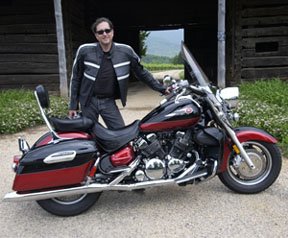


 was photojournalist Vince Laforet. Watch it below.
 series of how-to books is of the same opinion. You can read it here on NYTimes.com. While I disagree with him on his assertion that the picture quality is lacking, its still nice to have my opinions affirmed.
 , because the Astronauts did!
 to Irish Oatmeal
 (or a spinach and cheese omelet ...yum!) and fresh-squeezed orange juice I still enjoy the thrill of a rocket launch. I thank the space program for the technical advances that allow me to sit at a laptop computer and share my thoughts with you.


 .
. When you photograph children the camera can show a Smiley Face, personally I'd prefer a tweeting birdie!

 Posts
Posts


